Connecting Metabase to ClickHouse
Metabase is an easy-to-use, open source UI tool for asking questions about your data. Metabase is a Java application that can be executed by simply downloading the JAR file and running it with java -jar metabase.jar. Metabase connects to ClickHouse using a JDBC driver that you download and put in the plugins folder:
1. Download the ClickHouse plugin for Metabase
If you do not have a
pluginsfolder, create one as a subfolder of where you havemetabase.jarsaved.The plugin is a JAR file named
clickhouse.metabase-driver.jar. Download the latest version of the JAR file at https://github.com/enqueue/metabase-clickhouse-driver/releases/latestSave
clickhouse.metabase-driver.jarin yourpluginsfolder.Start (or restart) Metabase so that the driver gets loaded properly.
Access Metabse at http://hostname:3000. On the initial startup, you will see a welcome screen and have to work your way through a list of questions. If prompted to select a database, select "I'll add my data later":
2. Connect Metabase to ClickHouse
Click on the gear icon in the top-right corner and select Admin Settings to visit your Metabase admin page.
Click on Add a database. Alternately, you can click on the Databases tab and select the Add database button.
If your driver installation worked, you will see ClickHouse in the dropdown menu for Database type:
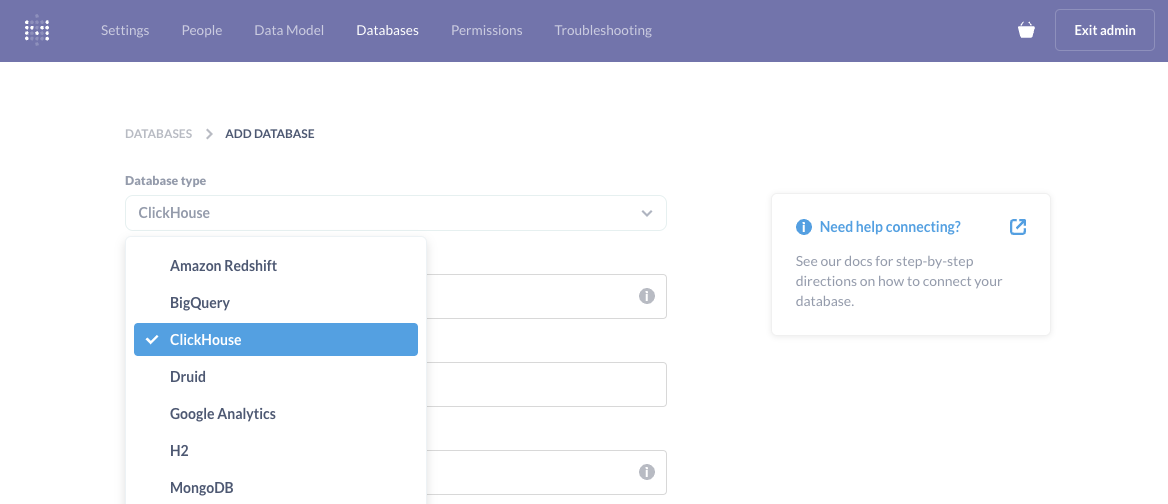
Give your database a Display name, which is a Metabase setting - so use any name you like.
Enter the connection details of your ClickHouse database. For example:
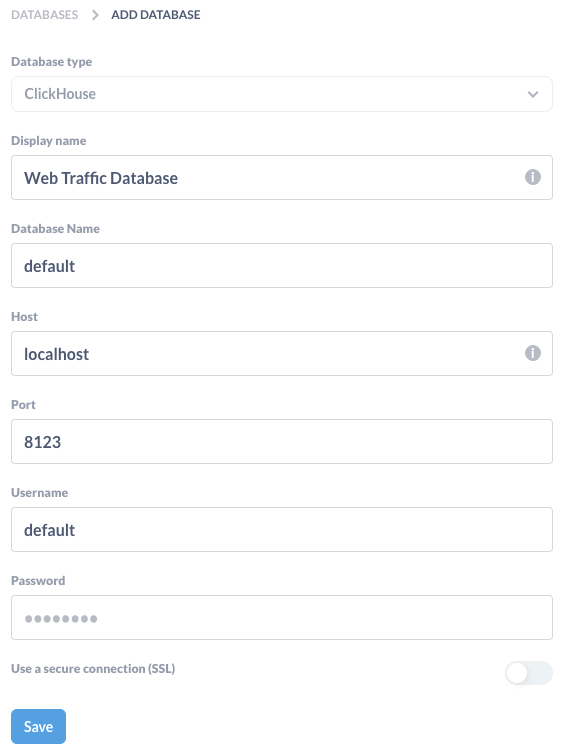
Click the Save button and Metabase will scan your database for tables.
3. Run a SQL query
Exit the Admin settings by clicking the Exit admin button in the top-right corner.
In the top-right corner, click the + New menu and notice you can ask questions, run SQL queries, and build a dashboard:
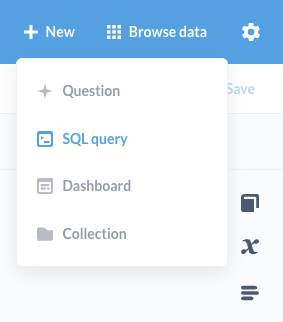
For example, here is a SQL query executed on a table named
hitsthat returns the top ten most-visited URLs: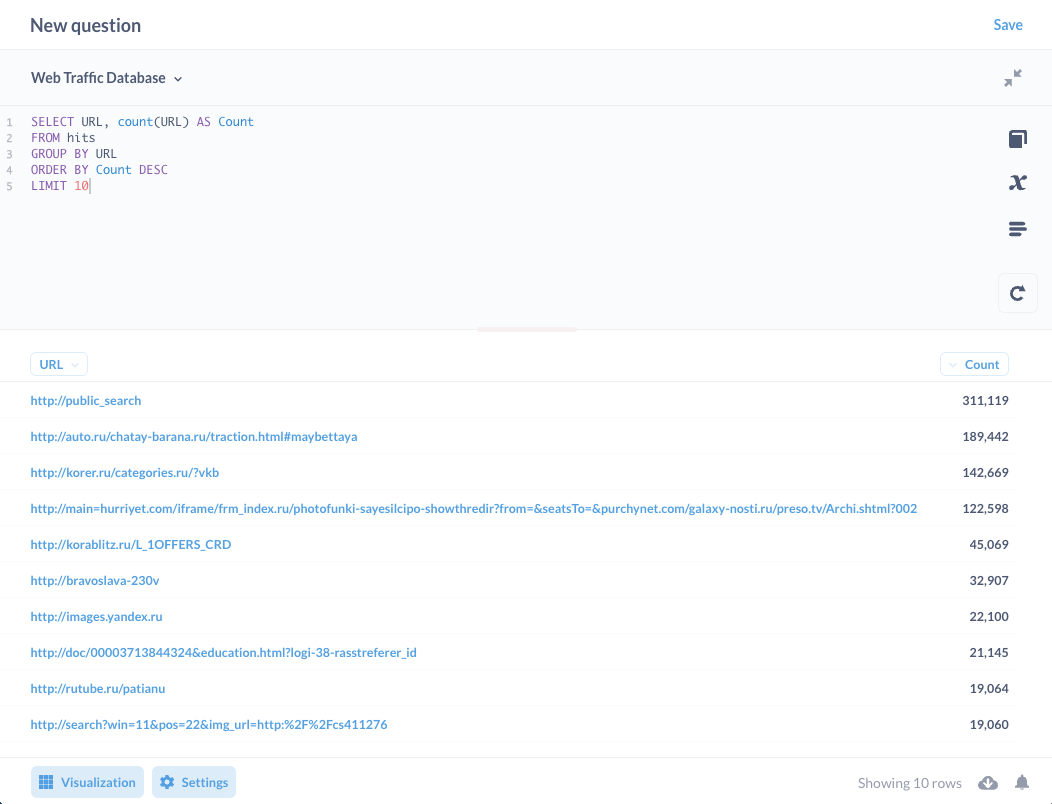
4. Ask a question
Click on + New and select Question. Notice you can build a question by starting wtih a database and table. For example, the following question is being asked of a table named
hitsin theWeb Traffic Database: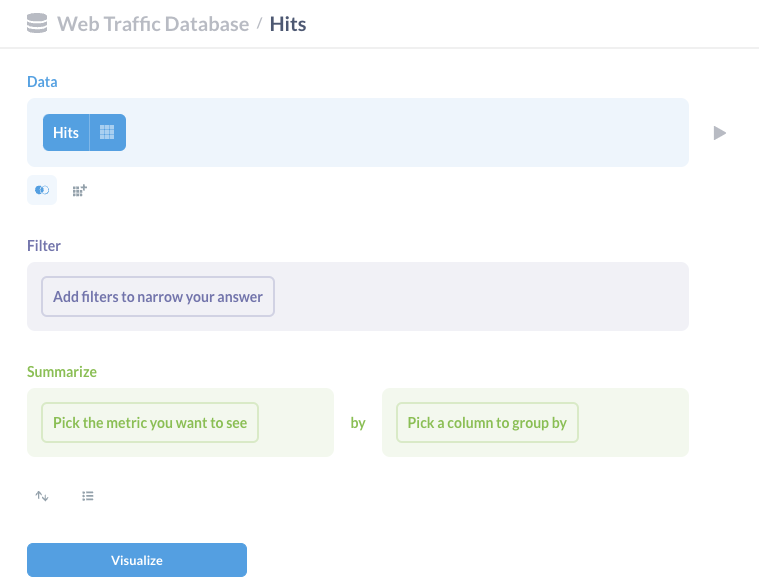
Here is a simple question that calculates the top 20 most-visited URLs in the table:
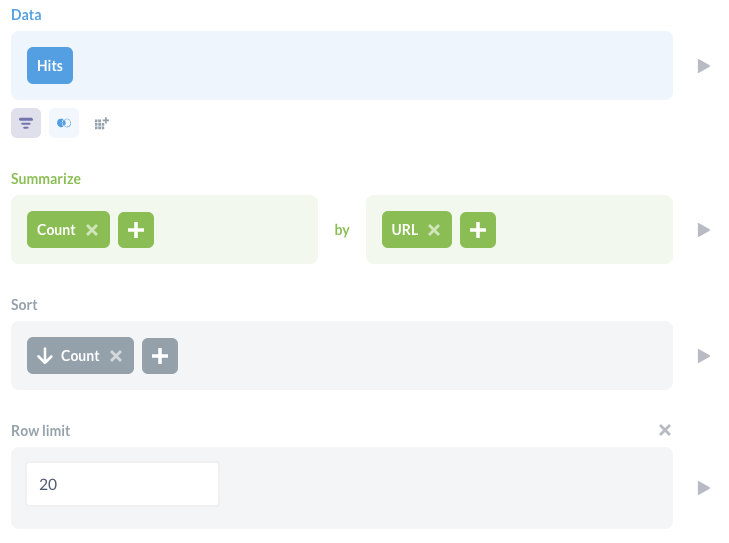
Click the Visualize button to see the results in a tabular view.
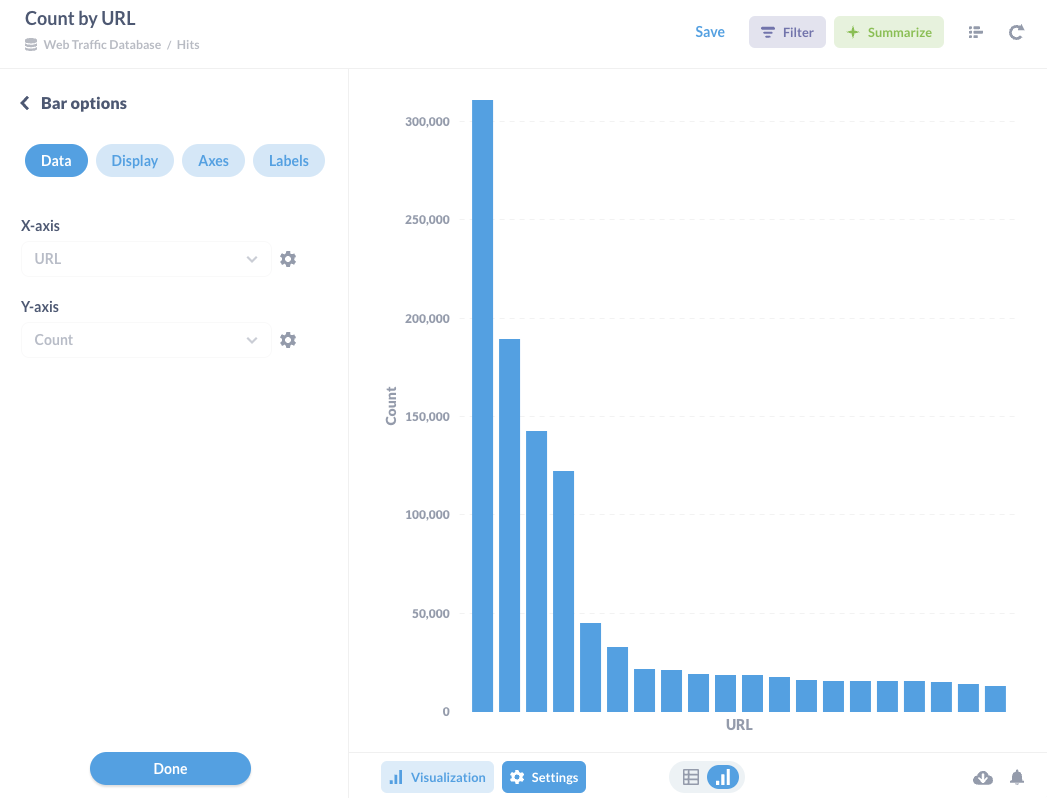
Below the results, click the Visualization button to change the visualization to a bar chart (or any of the other options avaialable):
Find more information about Metabase and how to build dashboards by visiting the Metabase documentation.