Connect Airbyte to ClickHouse
Airbyte is an open-source data integration platform. It allows the creation of ELT data pipelines and is shipped with more than 140 out-of-the-box connectors. This step-by-step tutorial shows how to connect Airbyte to ClickHouse as a destination and load a sample dataset.1. Download and run Airbyte
Airbyte runs on Docker and uses
docker-compose. Make sure to download and install the latest versions of Docker.Deploy Airbyte by cloning the official Github repository and running
docker-compose upin your favorite terminal:git clone https://github.com/airbytehq/airbyte.git
cd airbyte
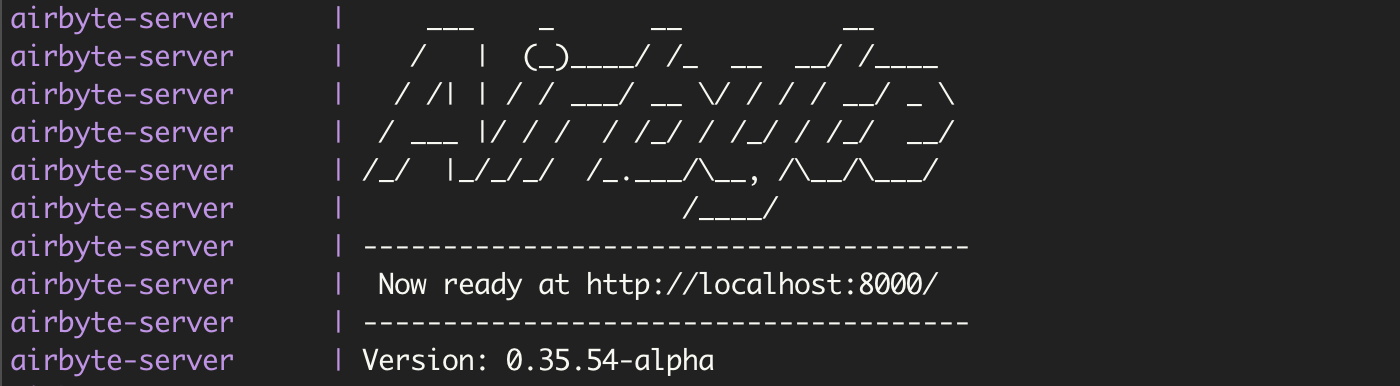
docker-compose upOnce you see the Airbyte banner in your terminal, you can connect to localhost:8000
note
Alternatively, you can signup and use Airbyte Cloud
2. Add ClickHouse as a destination
In this section, we will display how to add a ClickHouse instance as a destination.
Start your ClickHouse server (Airbyte is compatible with ClickHouse version
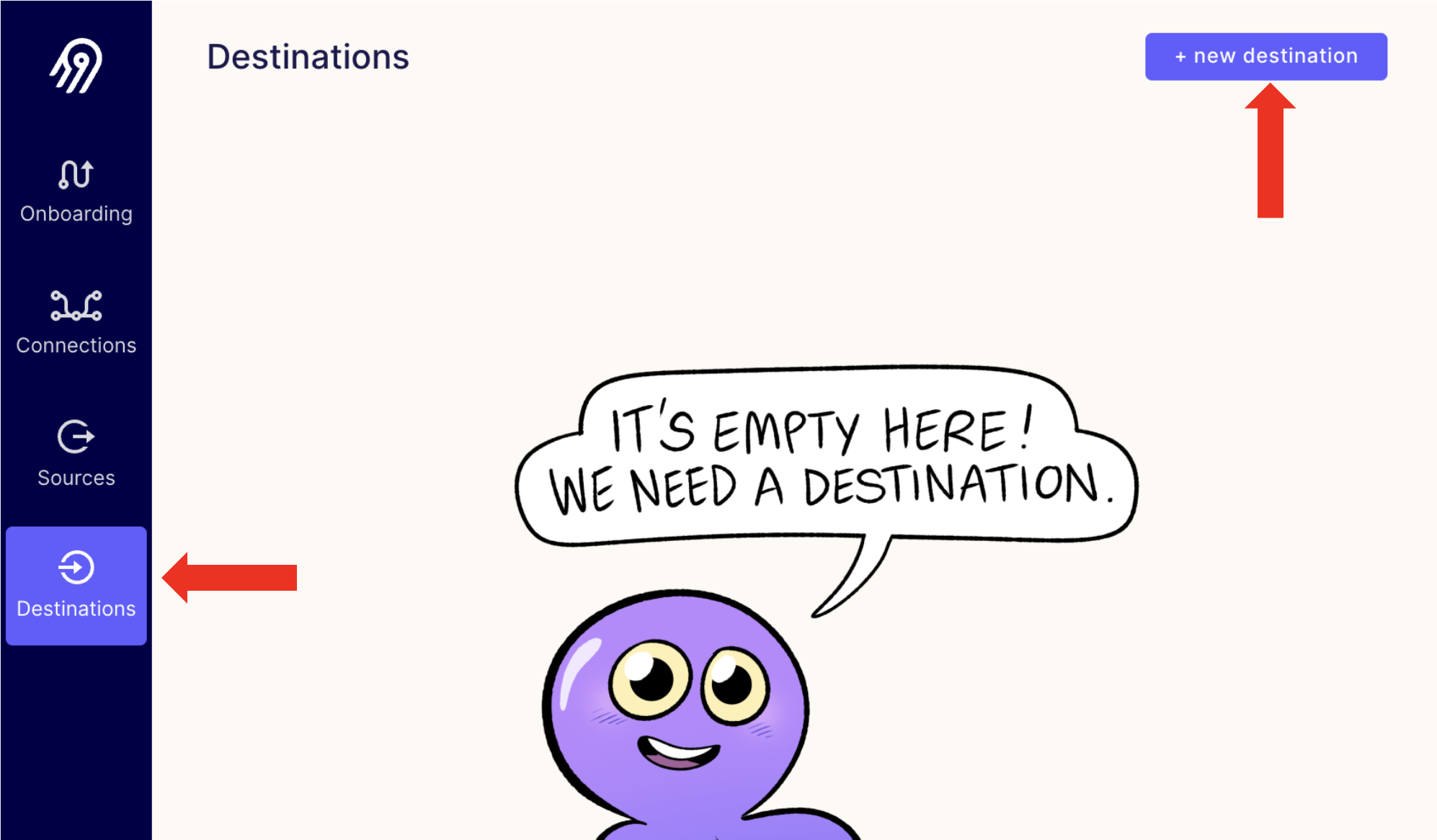
21.8.10.19or above):clickhouse-server startWithin Airbyte, select the "Destinations" page and add a new destination:
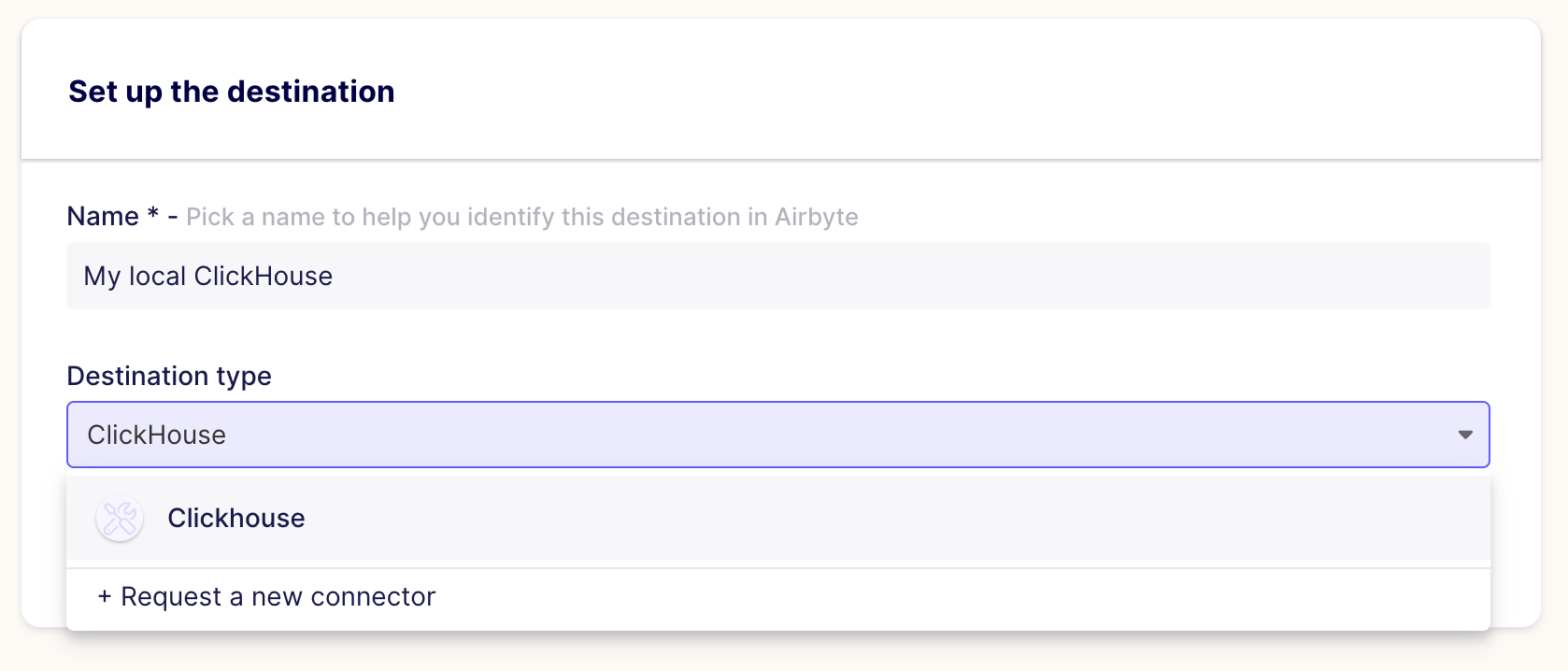
Pick a name for your destination and select ClickHouse from the "Destination type" drop-down list:
Fill out the "Set up the destination" form by providing your ClickHouse hostname and ports, database name, username and password and select if it's a TLS connection (equivalent to the
--secureflag in theclickhouse-client).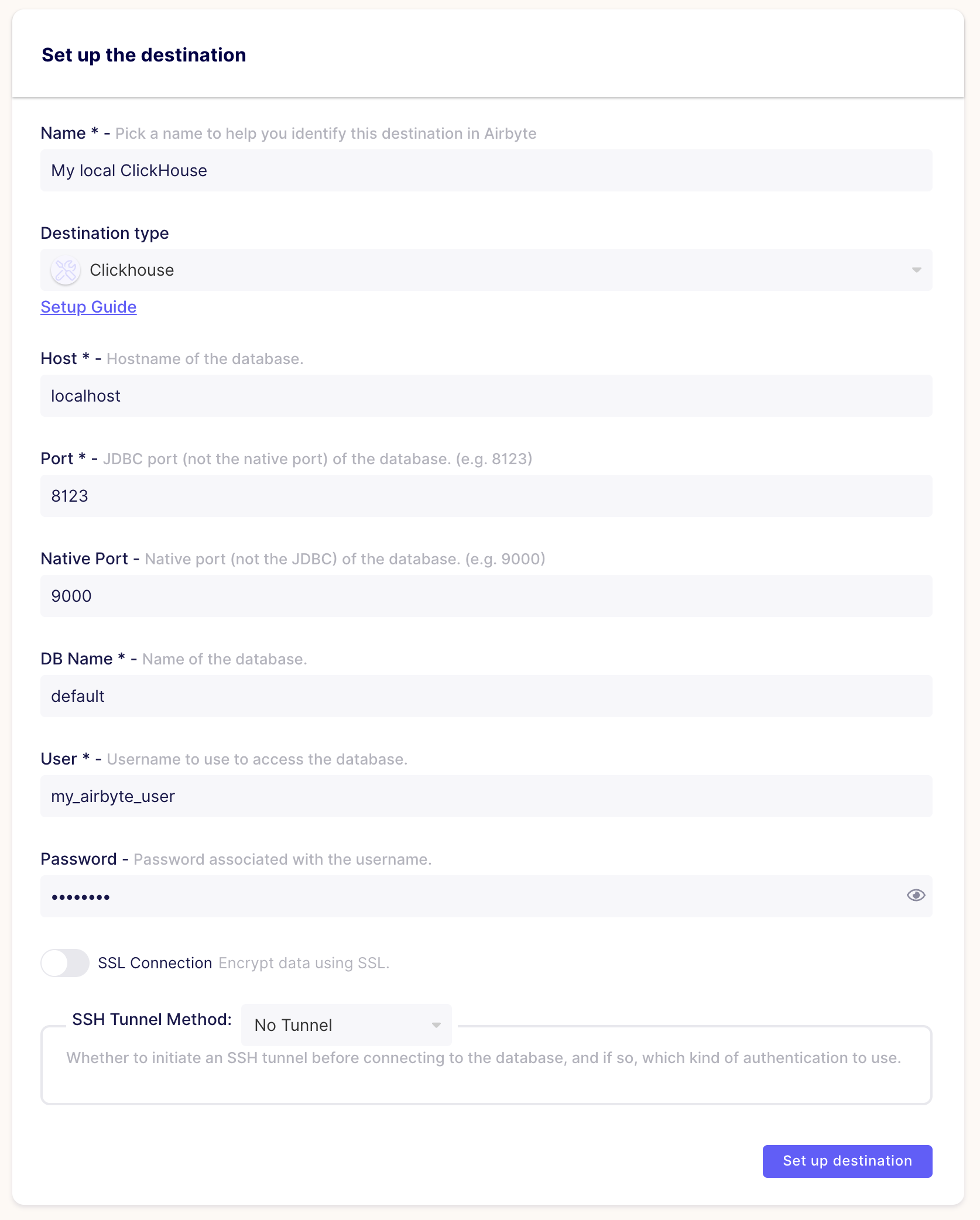
Congratulations! you have now added ClickHouse as a destination in Airbyte.
note
In order to use ClickHouse as a destination, the user you'll use need to have the permissions to create databases, tables and insert rows. We recommend creating a dedicated user for Airbyte (eg. my_airbyte_user) with the following permissions:
GRANT CREATE ON * TO my_airbyte_user;
3. Add a dataset as a source
The example dataset we will use is the New York City Taxi Data (on Github). For this tutorial, we will use a subset of this dataset which corresponds to the month of July 2021.
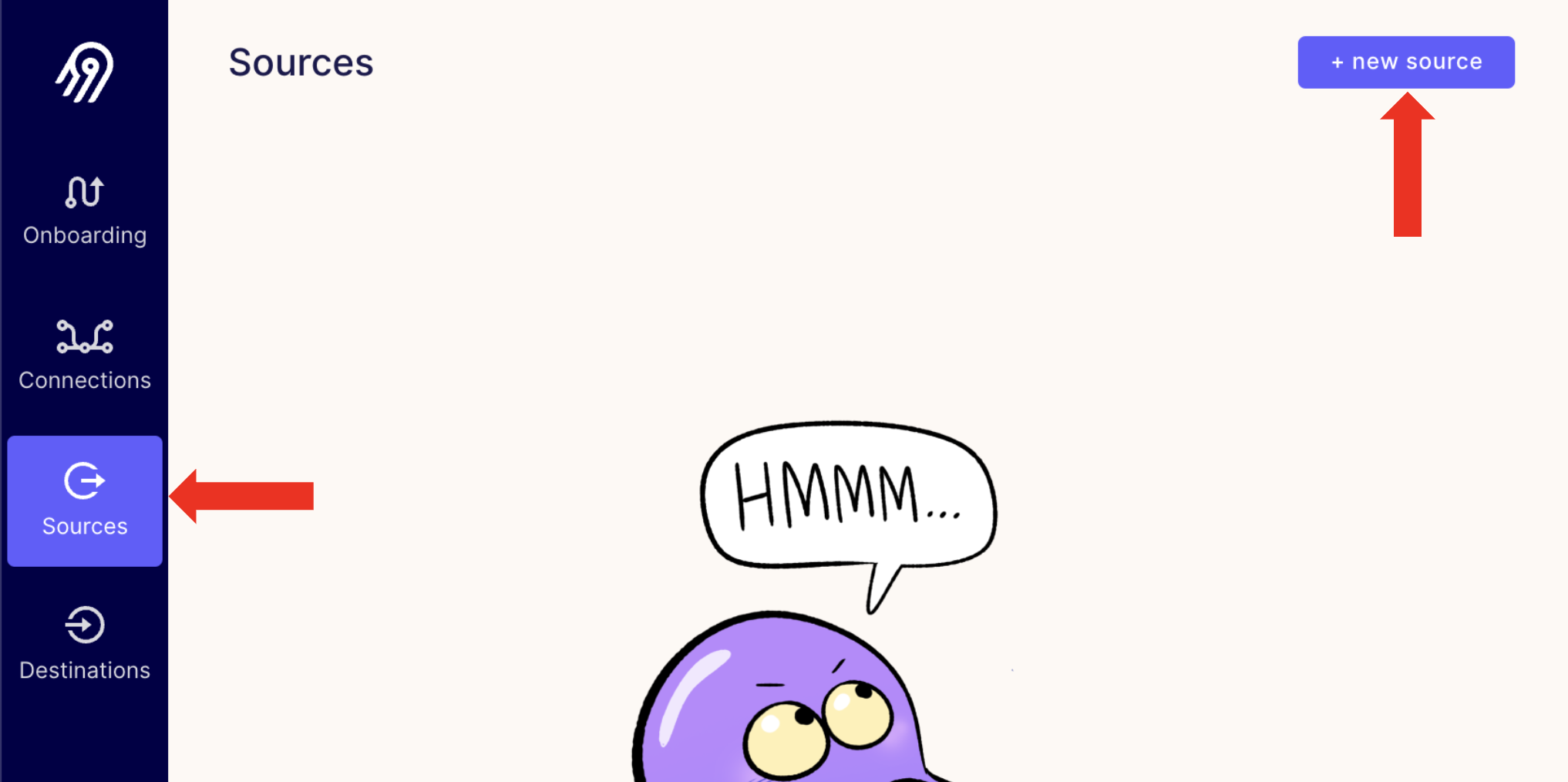
Within Airbyte, select the "Sources" page and add a new source of type file.
Fill out the "Set up the source" form by naming the source and providing the URL of the NYC Taxi July 2021 file (see below). Make sure to pick
csvas file format,HTTPS Public Webas Storage Provider andnyc_taxi_072021as Dataset Name.https://s3.amazonaws.com/nyc-tlc/trip+data/yellow_tripdata_2021-07.csv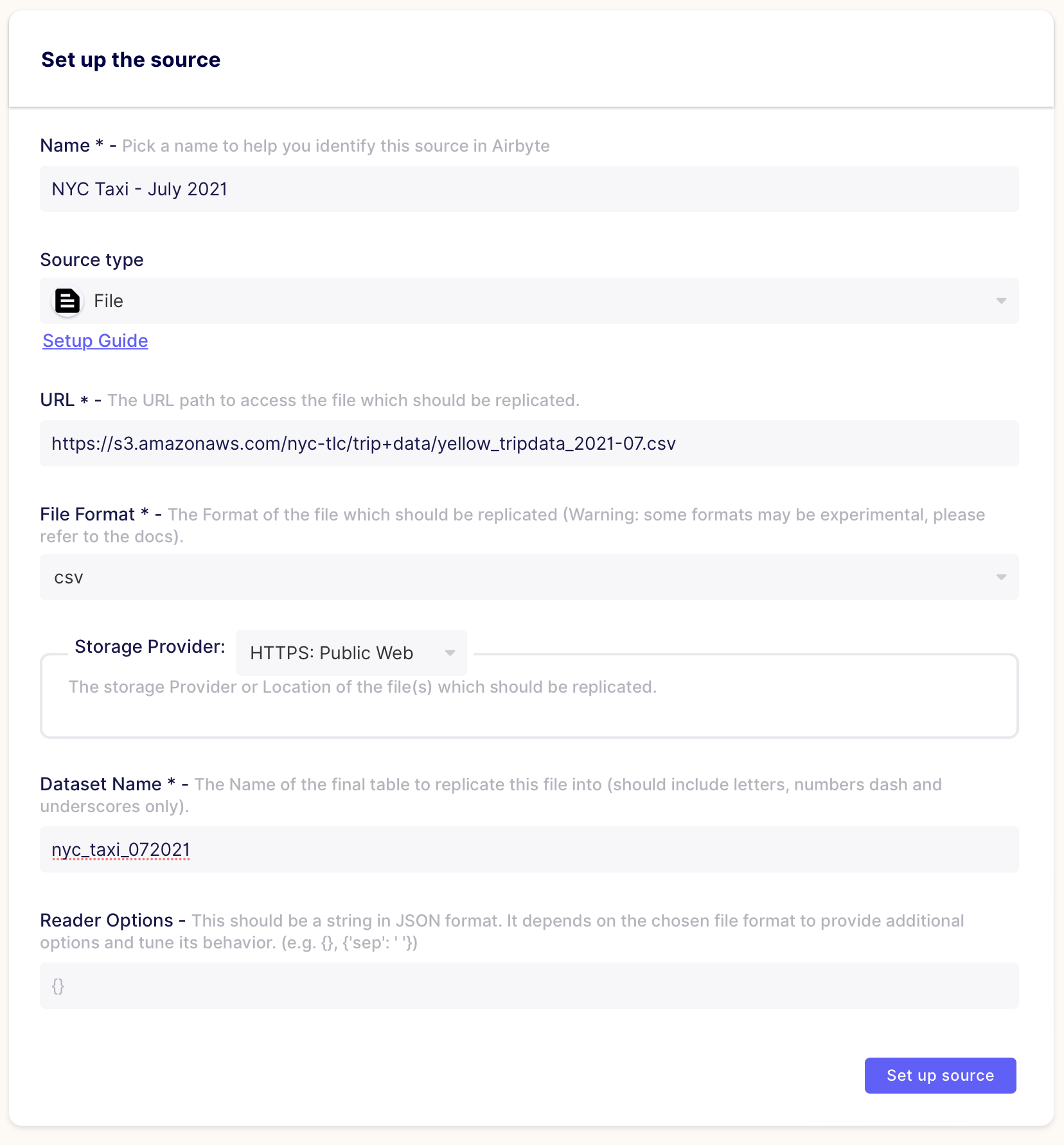
Congratulations! You have now added a source file in Airbyte.
4. Create a connection and load the dataset into ClickHouse
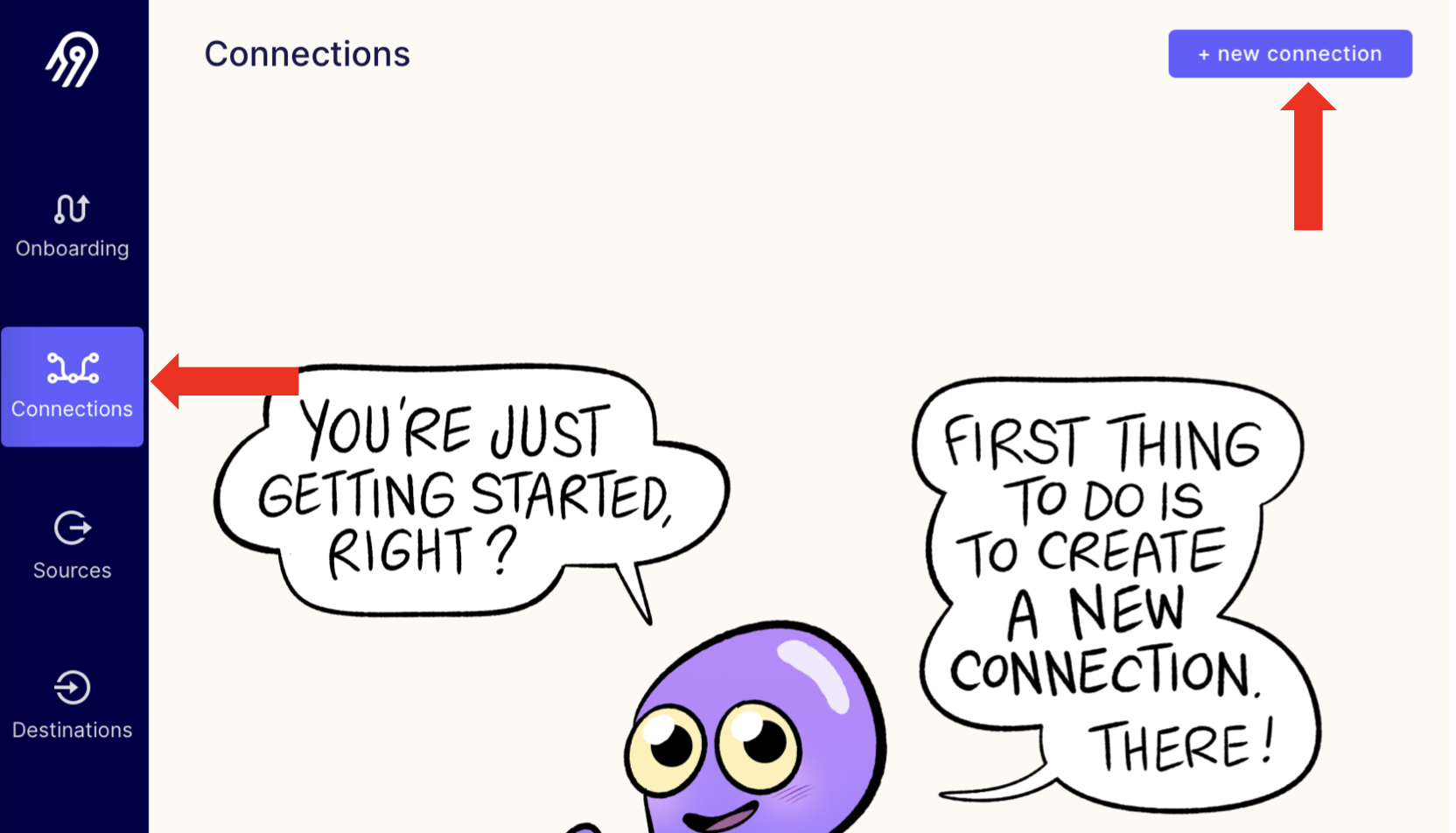
Within Airbyte, select the "Connections" page and add a new connection
Select "Use existing source" and select the New York City Taxi Data, the select "Use existing destination" and select you ClickHouse instance.
Fill out the "Set up the connection" form by choosing a Replication Frequency (we will use
manualfor this tutorial) and selectnyc_taxi_072021as the stream you want to sync. Make sure you pickNormalized Tabular Dataas a Normalization.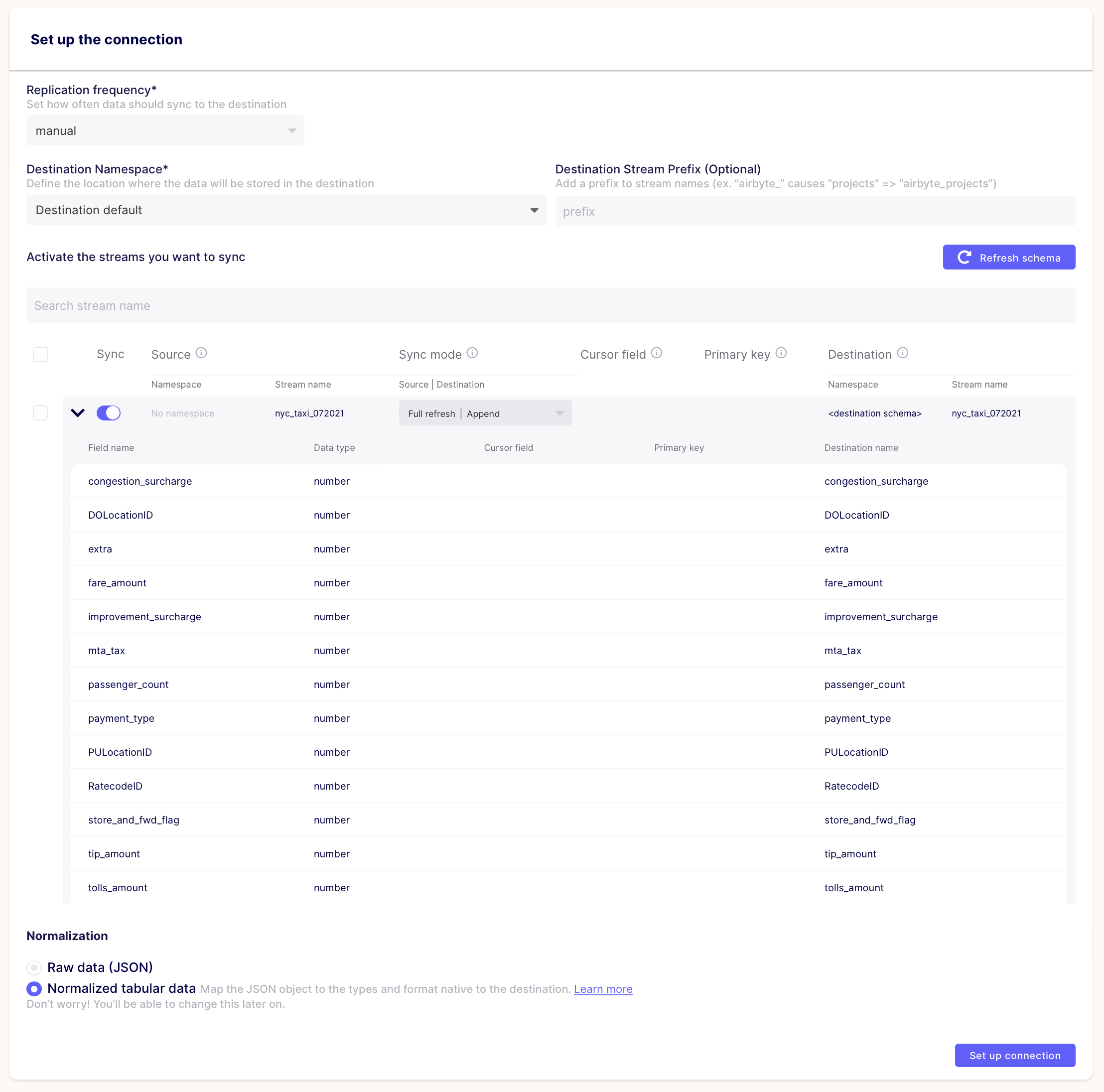
Now that the connection is created, click on "Sync now" to trigger the data loading (since we picked
Manualas a Replication Frequency)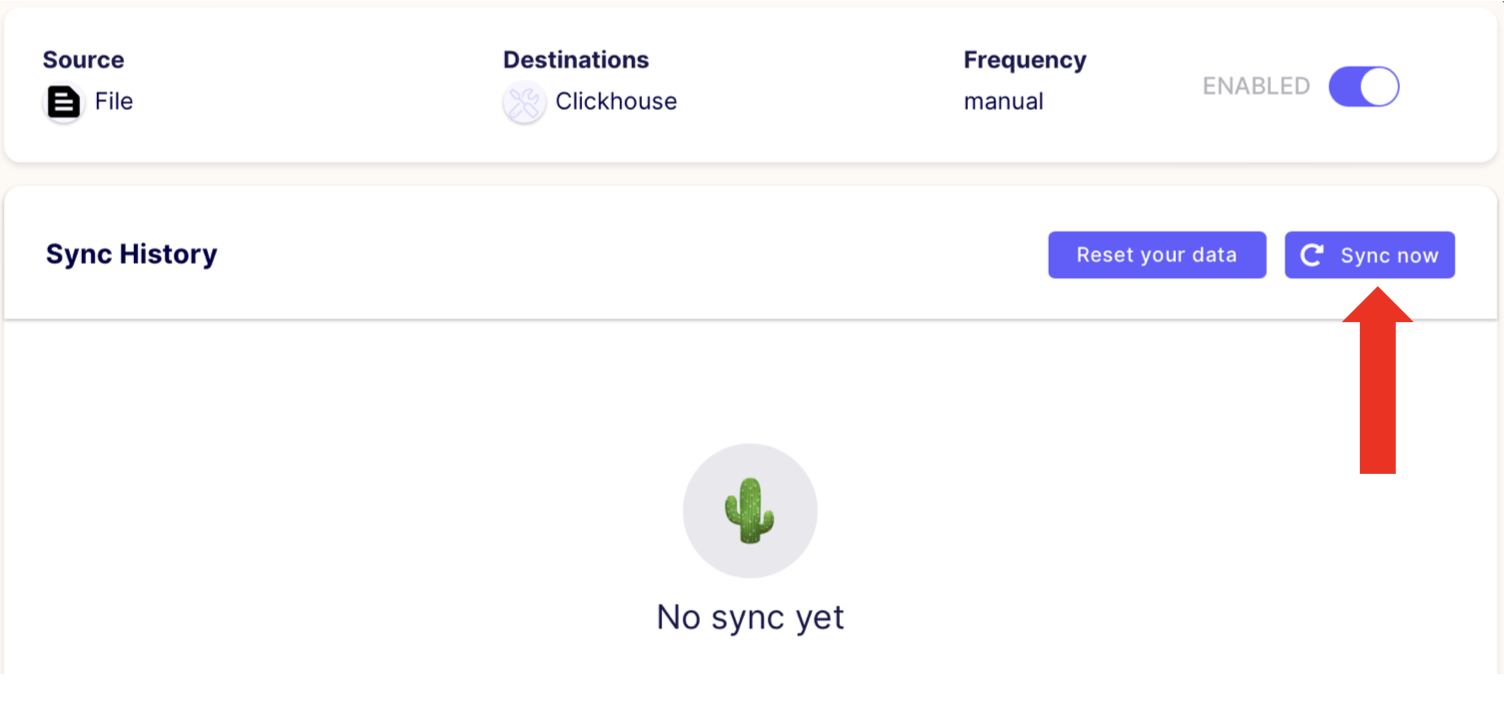
Your data will start loading, you can expand the view to see Airbyte logs and progress. Once the operation finishes, you'll see a
Completed successfullymessage in the logs: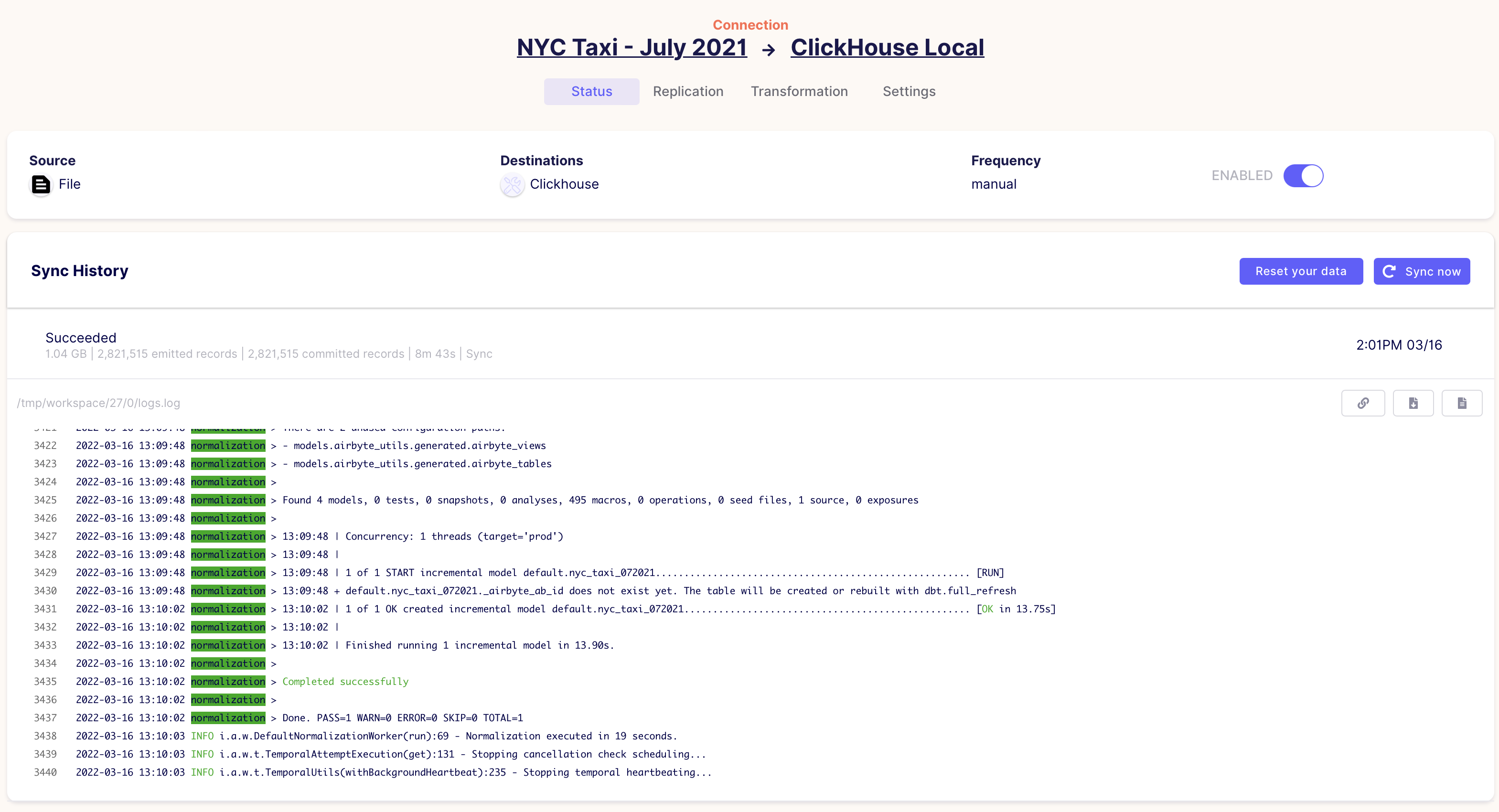
Connect to your ClickHouse instance using your preferred SQL Client and check the resulting table:
SELECT *
FROM nyc_taxi_072021
LIMIT 10
The response should look like:
Query id: 1dbe609f-9136-49cf-a642-51a2305e1027

┌─extra─┬─mta_tax─┬─VendorID─┬─RatecodeID─┬─tip_amount─┬─fare_amount─┬─DOLocationID─┬─PULocationID─┬─payment_type─┬─tolls_amount─┬─total_amount─┬─trip_distance─┬─passenger_count─┬─store_and_fwd_flag─┬─congestion_surcharge─┬─tpep_pickup_datetime─┬─improvement_surcharge─┬─tpep_dropoff_datetime─┬─_airbyte_ab_id───────────────────────┬─────_airbyte_emitted_at─┬─_airbyte_normalized_at─┬─_airbyte_nyc_taxi_072021_hashid──┐
│   3.5 │     0.5 │        1 │          1 │          0 │        11.5 │          237 │          162 │            2 │            0 │         15.8 │           2.3 │               1 │               ᴺᵁᴸᴸ │                  2.5 │ 2021-07-07 17:49:32  │                   0.3 │ 2021-07-07 18:04:30   │ 00000005-a90c-41b7-8883-1ab75c0ad9da │ 2022-03-16 13:02:50.000 │    2022-03-16 13:09:48 │ DE8F3E68A49EC6CB00919501E6726335 │
│     0 │     0.5 │        2 │          1 │         10 │          23 │          256 │          233 │            1 │            0 │         36.3 │           5.4 │               1 │               ᴺᵁᴸᴸ │                  2.5 │ 2021-07-15 07:23:36  │                   0.3 │ 2021-07-15 07:50:28   │ 00001877-58ba-4614-90d4-4e5eba3cd593 │ 2022-03-16 13:04:46.000 │    2022-03-16 13:09:48 │ 7915C6A4D33BCE7CF58D66CF1F2E1A61 │
│   0.5 │     0.5 │        2 │          1 │          5 │        30.5 │          138 │          137 │            1 │         6.55 │        45.85 │         10.93 │               1 │               ᴺᵁᴸᴸ │                  2.5 │ 2021-07-18 05:00:28  │                   0.3 │ 2021-07-18 05:18:54   │ 00001885-d93e-49d7-a92c-c09fd49e8b39 │ 2022-03-16 13:05:37.000 │    2022-03-16 13:09:48 │ A7346163EA6D6F0CBBA562CE1C5F9401 │
│   2.5 │     0.5 │        1 │          1 │          0 │           5 │          100 │          186 │            2 │            0 │          8.3 │             1 │               1 │               ᴺᵁᴸᴸ │                  2.5 │ 2021-07-07 09:47:59  │                   0.3 │ 2021-07-07 09:52:13   │ 000029d1-2e26-4d83-9efe-51cb182282d9 │ 2022-03-16 13:02:42.000 │    2022-03-16 13:09:48 │ C6389A8B2B6E24A74612F7FB53DAA9A0 │
│     1 │     0.5 │        2 │          1 │          4 │        19.5 │           13 │          161 │            1 │            0 │         27.8 │          5.06 │               3 │               ᴺᵁᴸᴸ │                  2.5 │ 2021-07-12 17:54:49  │                   0.3 │ 2021-07-12 18:17:43   │ 00003433-6886-4267-b8a9-da1b366537c4 │ 2022-03-16 13:04:06.000 │    2022-03-16 13:09:48 │ 8E7C4E55F366901E4B6DFB02C3CAE838 │
│     0 │     0.5 │        2 │          1 │          0 │           7 │          233 │          140 │            2 │            0 │         10.3 │           1.3 │               1 │               ᴺᵁᴸᴸ │                  2.5 │ 2021-07-15 13:06:34  │                   0.3 │ 2021-07-15 13:13:24   │ 000049ae-b0c8-4e07-a3e6-ea19916fb6c3 │ 2022-03-16 13:04:51.000 │    2022-03-16 13:09:48 │ 704F99F611D1A71713A4870406E28B54 │
│   3.5 │     0.5 │        1 │          1 │        9.8 │          35 │          138 │          230 │            1 │            0 │         49.1 │           9.9 │               0 │               ᴺᵁᴸᴸ │                  2.5 │ 2021-07-09 16:09:24  │                   0.3 │ 2021-07-09 16:45:15   │ 00004cc2-868e-4465-a24b-7efcb5da8cd4 │ 2022-03-16 13:03:20.000 │    2022-03-16 13:09:48 │ 8AB6444AD089BA300B303447C4B70500 │
│   2.5 │     0.5 │        1 │          1 │          3 │          10 │          232 │          224 │            1 │            0 │         16.3 │           2.6 │               0 │               ᴺᵁᴸᴸ │                  2.5 │ 2021-07-06 15:21:57  │                   0.3 │ 2021-07-06 15:30:09   │ 00005277-bc5f-4d1e-b116-d3777fef87f7 │ 2022-03-16 13:02:33.000 │    2022-03-16 13:09:48 │ AC5A4F12E7EC61116F146DE90375A74B │
│   0.5 │     0.5 │        2 │          1 │       2.34 │         6.5 │           42 │           41 │            1 │            0 │        10.14 │          1.02 │               1 │               ᴺᵁᴸᴸ │                    0 │ 2021-07-16 20:27:38  │                   0.3 │ 2021-07-16 20:33:46   │ 0000571b-6698-43f4-878d-d0d3f91e40d1 │ 2022-03-16 13:05:16.000 │    2022-03-16 13:09:48 │ A447703038C0257801F7DA3CBBCA47CB │
│     0 │     0.5 │        2 │          1 │          0 │          24 │          232 │           48 │            2 │            0 │         27.3 │          6.74 │               1 │               ᴺᵁᴸᴸ │                  2.5 │ 2021-07-10 15:00:11  │                   0.3 │ 2021-07-10 15:27:38   │ 000060b7-76b5-4d73-ae7f-0c475f69078b │ 2022-03-16 13:03:35.000 │    2022-03-16 13:09:48 │ 6A593070389760D2339DDBD76E913447 │
└───────┴─────────┴──────────┴────────────┴────────────┴─────────────┴──────────────┴──────────────┴──────────────┴──────────────┴──────────────┴───────────────┴─────────────────┴────────────────────┴──────────────────────┴──────────────────────┴───────────────────────┴───────────────────────┴──────────────────────────────────────┴─────────────────────────┴────────────────────────┴──────────────────────────────────┘
SELECT count(*)
FROM nyc_taxi_072021The response is:
Query id: a9172d39-50f7-421e-8330-296de0baa67e

┌─count()─┐
│ 2821515 │
└─────────┘
Notice that Airbyte automatically inferred the data types and added 4 columns to the destination table. These columns are used by Airbyte to manage the replication logic and log the operations. More details are available in the Airbyte official documentation.
    `_airbyte_ab_id` String,
    `_airbyte_emitted_at` DateTime64(3, 'GMT'),
    `_airbyte_normalized_at` DateTime,
    `_airbyte_nyc_taxi_072021_hashid` String
Now that the dataset is loaded on your ClickHouse instance, you can create an new table and use more suitable ClickHouse data types (more details).
- Congratulations - you have successfully loaded the NYC taxi data into ClickHouse using Airbyte!